Remove dead air, filler words and retakes automatically
Quick answer
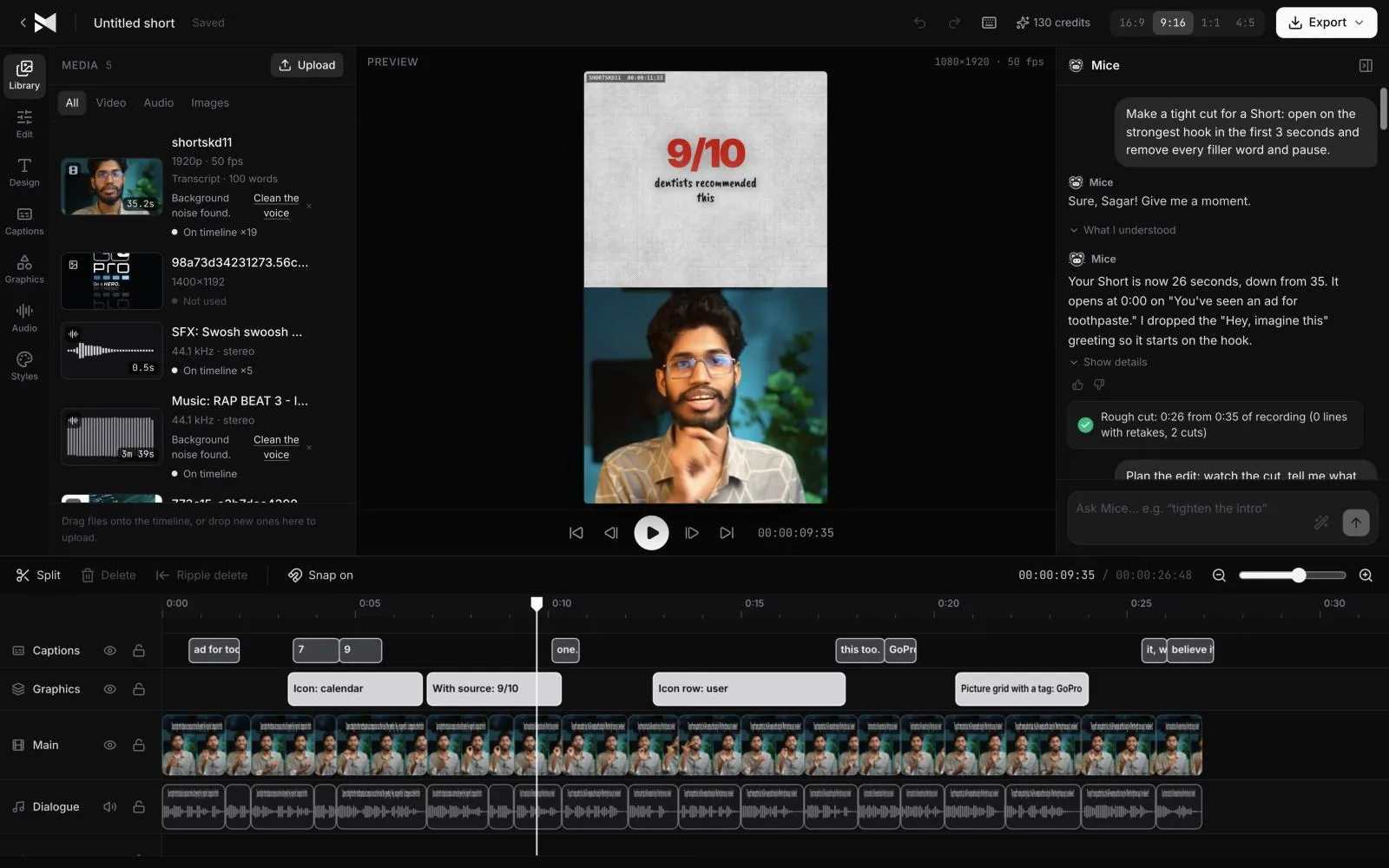
Upload the recording to MirrorCut and ask it to remove dead air, filler words, false starts and retakes. Its AI agent listens to the whole recording, keeps the cleanest take, and shows every removal on the timeline with a one-line explanation, such as "Removed a 0.6 s pause at 0:54", so you can keep, revert or adjust each cut.
Long pauses, “ums”, false starts and repeated takes make up a surprising share of any raw recording. Cutting them by hand is the slowest, least creative part of editing a podcast, interview or talking-head video.
MirrorCut's agent listens to the whole recording and removes the dead air, filler words and retakes for you, keeping the cleanest take. Every cut is shown on the timeline with a one-line explanation, so nothing disappears without you seeing it.
Start your free trial7 days free, then $10 a month. Works in your browser.
Just ask for it
Things you can type to MirrorCut's agent:
- “Remove the dead air, filler words and retakes from this recording”
- “Remove the dead air and the “ums” from my interview”
- “Cut every retake and false start, keep the cleanest take”
- “Remove long pauses and filler words from this lecture”
How it works
- 1
Upload your recording
Video in MP4, MOV, MKV or WebM, or audio in MP3, WAV and M4A. Hour-long files are fine; uploads resume if your connection drops.
- 2
Ask for a clean-up
Tell the agent what to remove: dead air, filler words, false starts, retakes, or all of them.
- 3
Check each cut
Every removal is outlined on the timeline, for example “Removed a 0.6 s pause at 0:54”. Keep it, revert it, or adjust it by hand.
What MirrorCut does
Dead air and long pauses
Silences are tightened so the conversation flows, without cutting into natural pauses that make speech sound human.
Filler words
“Um”, “uh” and similar fillers are found from the transcript and cut cleanly.
Retakes and false starts
When you say a line twice, the agent keeps the cleanest take and removes the rest.
Captions stay in sync
If you add captions, they follow the audio through every cut, so a tighter edit never leaves them out of step.
You approve every change
Each AI edit is outlined on the timeline and explained in one line. Accept it, revert it, or keep editing by hand; your edits and the agent's share one undo history.
Guides
- How to edit a talking-head videoHow to edit a talking-head video: cut pauses and retakes, open on your best line, add cutaways and captions, and keep it moving without overdoing it.
- How to make video ads with your phoneHow to make a video ad with just your phone: what to record, a simple setup for light and sound, filming several takes, and editing it into every format.
Questions
- How do I remove filler words from a video?
- Upload the video and ask MirrorCut to remove the filler words. Fillers such as “um” and “uh” are found from the transcript, because they're as loud as the words around them, and cut from picture and sound together. Each cut is shown on the timeline, so you can keep any that sound better left in.
- Will it cut too much?
- You stay in control. Each removal is shown separately and can be reverted on its own, and you can ask the agent to be more or less aggressive.
- Does it work on interviews with two speakers?
- Yes. It works across the whole conversation, and you can also ask it to switch cameras to whoever is speaking.
- What kinds of recordings is it for?
- Podcasts, interviews, talking-head videos, lectures, webinars and product demos: anything where people talk to the camera or each other.
- What does it cost?
- Every account starts with 7 days of Creator free (a card is required). After that, Creator is $10, Pro is $30, Studio is $60 a month, and every yearly payment adds 50 bonus AI credits.
Bring one recording and see your first cut
7 days free, then $10 a month.
Start your free trial