Turn a long video into Shorts, Reels and TikToks
Quick answer
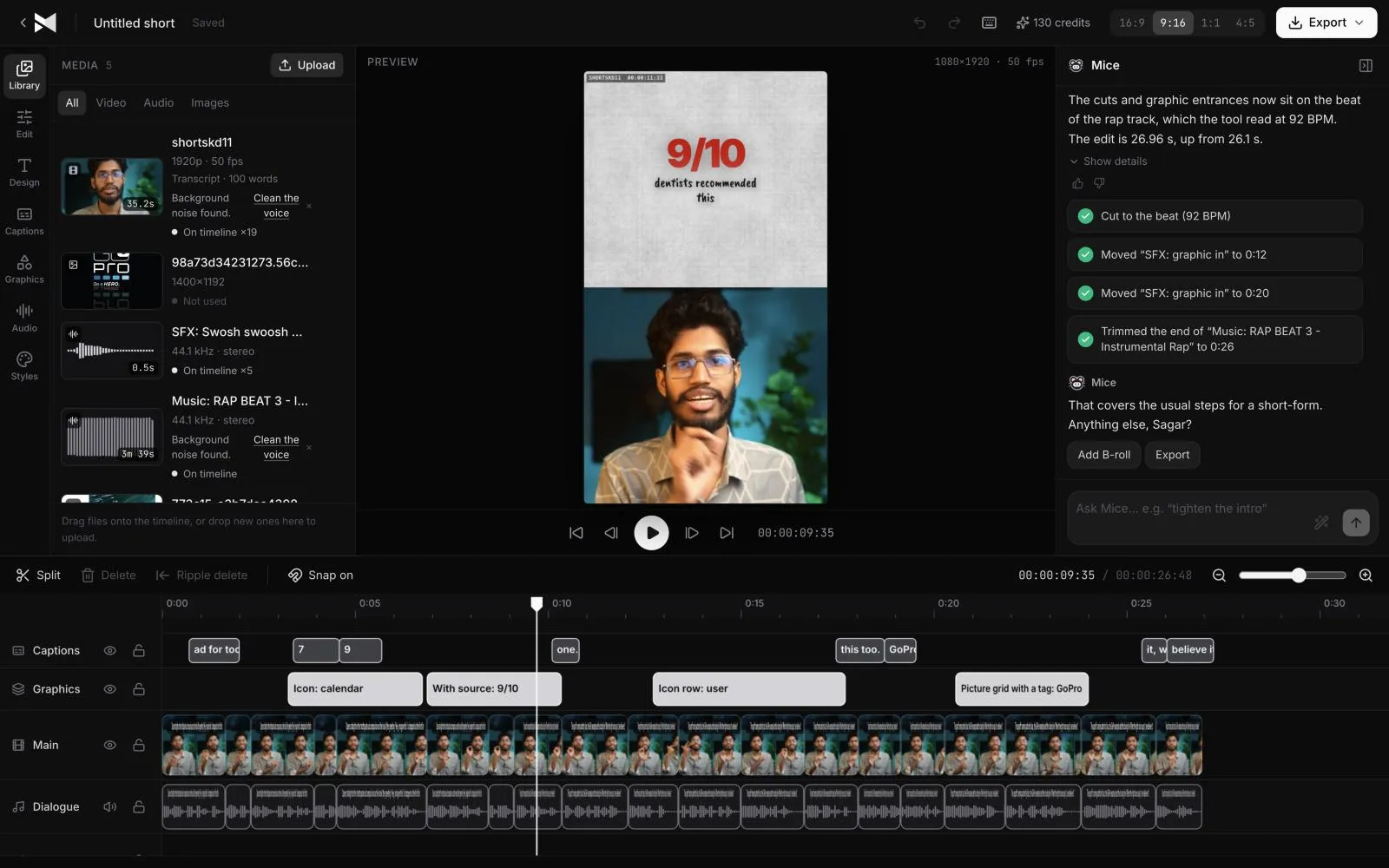
Upload the long video to MirrorCut, such as a YouTube video, webinar, livestream, interview or lesson, and ask for Shorts. Its AI agent scores the strongest moments by how well they hook, cuts each into a vertical clip that follows the speaker, and adds animated captions. Each Short opens as its own timeline, so you can trim it or swap the hook before you export.
A long video usually holds several moments that work on their own as a Short: a clear answer, a strong opinion, a story with a point. Finding them means watching the whole thing again, then cutting, reframing to 9:16 and captioning each one by hand.
MirrorCut's agent does that first pass. It reads the whole video, ranks the moments by how well they hook, and cuts each into a vertical clip with captions. You review every Short on a real timeline and keep what works.
Start your free trial7 days free, then $10 a month. Works in your browser.
The best Opus Clip alternatives, compared →
Just ask for it
Things you can type to MirrorCut's agent:
- “Find the five strongest moments and cut each into a Short”
- “Make a 30-second Short from the best answer in this webinar”
- “Cut a teaser for this video that opens on the strongest line”
- “Reframe each Short to 9:16 and add bold word-by-word captions”
How it works
- 1
Upload the long video
MP4, MOV, MKV or WebM: a YouTube video, webinar, livestream recording, interview or lesson. Large files upload in the background.
- 2
Ask for Shorts
Say how many, how long, and the caption style. The agent picks the moments, starts each on its hook and reframes it to vertical.
- 3
Review each Short
Every Short opens as its own timeline. Trim it, swap the opening line, change the captions, or ask for another pass, then export.
What MirrorCut does
Moments ranked by hook
The agent ranks moments by how quickly they grab attention, so the first clips you see are the ones most likely to hold a viewer.
Vertical, following the speaker
Horizontal footage becomes 9:16 with the speaker kept in frame, and 1:1 or 4:5 from the same edit.
Captions in 48 styles
Animated, word-by-word captions that stay in sync when you trim a clip.
Every Short stays editable
Clips aren't flattened videos: each keeps its own timeline with the same tools as the main edit.
You approve every change
Each AI edit is outlined on the timeline and explained in one line. Accept it, revert it, or keep editing by hand; your edits and the agent's share one undo history.
Guides
- How to turn a podcast into ShortsHow to turn a podcast episode into Shorts and Reels: find moments that stand alone, cut to the hook, reframe to vertical, caption and post them.
- How to add chapters to YouTube videosHow to add YouTube chapters with timestamps in the description, YouTube's three rules, automatic chapters, and why chapters sometimes don't show.
Free tools
No sign-up; they run in your browser.
- Video aspect ratio calculatorEnter your video's size to see its aspect ratio, the largest crop for 9:16, 4:5, 1:1 and 16:9, and the standard HD and 4K output sizes for each.
- Text to SRT converterPaste a transcript and split it into caption lines of the length you choose, then download it as an SRT or VTT file with estimated timings.
Questions
- What kinds of long videos work?
- Anything where people talk: YouTube videos, webinars, livestream recordings, interviews, lessons and podcasts. For podcasts in particular, see our podcast to Shorts page.
- How long should each Short be?
- You choose. Ask for a length (for example 30 seconds) and the agent cuts to it; YouTube Shorts can be up to 3 minutes, but most clips that work are much shorter.
- Can I also edit the long video?
- Yes. The same project edits the full video (pauses, filler, captions, graphics) and the Shorts, so fixes carry over.
- What does it cost?
- Every account starts with 7 days of Creator free (a card is required). After that, Creator is $10, Pro is $30, Studio is $60 a month, and every yearly payment adds 50 bonus AI credits.
Bring one recording and see your first cut
7 days free, then $10 a month.
Start your free trial