An AI caption generator that keeps up with your edit
Quick answer
MirrorCut is an AI caption generator for video. Upload a video and its captions are generated from the speech, word by word, in one of 48 animated styles. They stay in sync after every cut, can highlight the words that matter, and export as SRT or VTT files. Hindi speech can be captioned in Hinglish or Devanagari.
Most people watch Shorts, Reels and ads with the sound off, so captions decide whether a video gets watched at all. Typing them by hand takes longer than the edit, and captions made before the final cut drift out of sync the moment you trim a pause.
MirrorCut generates captions from the speech and ties each word to the audio, so they stay right through every cut, yours or the agent's. Pick a style, or let Mice, MirrorCut's AI editor, choose one that fits the video, then download the caption file when you need it.
Start your free trial7 days free, then $10 a month. Works in your browser.
Animated auto captions, with SRT and VTT →
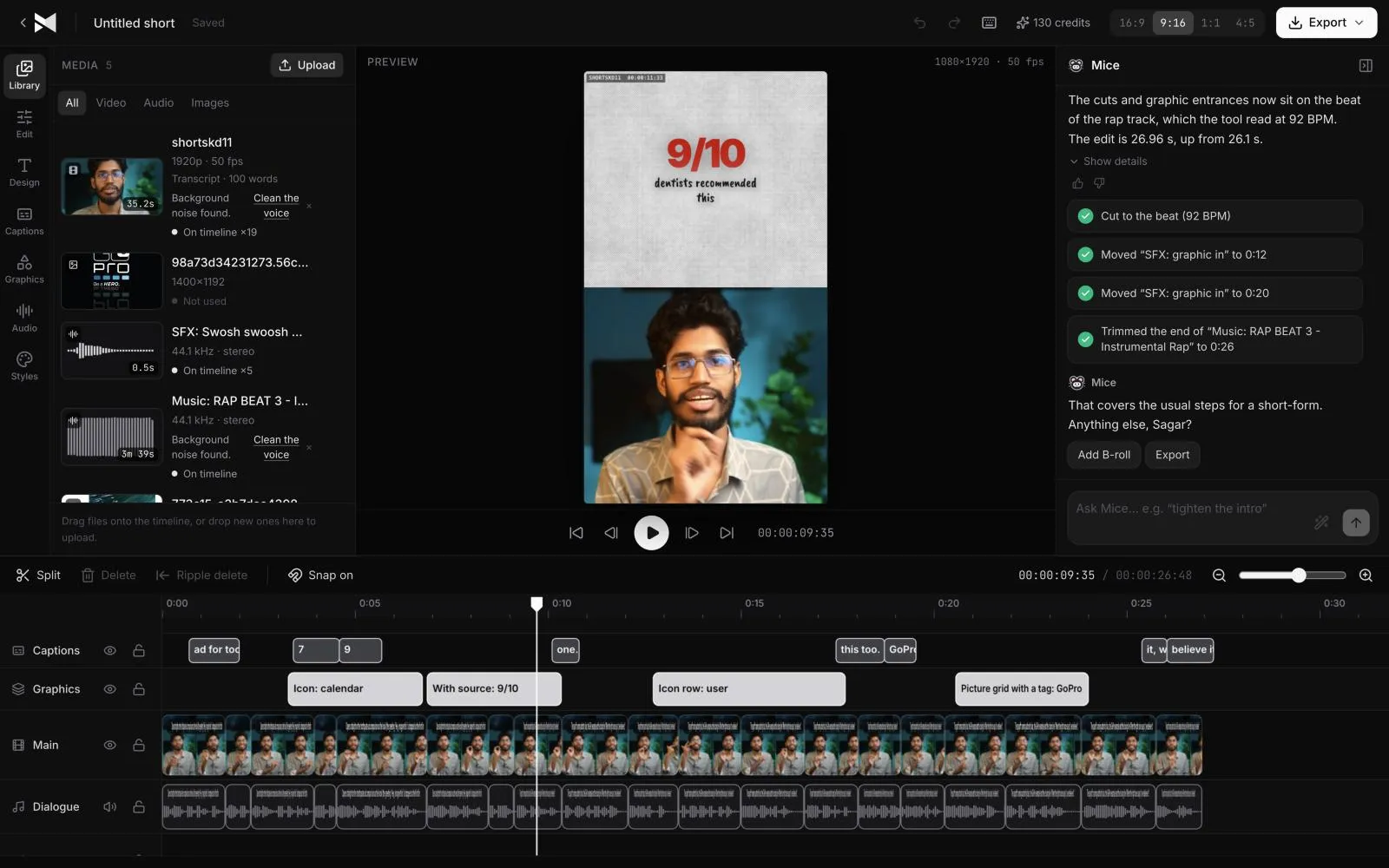
Just ask for it
Things you can type to MirrorCut's agent:
- “Add word-by-word captions in a bold style”
- “Caption this video and highlight the key words”
- “Pick the caption style that fits this Short”
- “Export the captions as SRT and VTT”
How it works
- 1
Upload your video
MP4, MOV, MKV or WebM. The speech is transcribed as the video is prepared.
- 2
Generate the captions
Choose one of 48 styles, or ask Mice for captions and it picks one that suits the video and highlights the words that matter.
- 3
Edit, then export
Change the style for the whole video or one caption, cut and trim freely, and export the video with captions burned in, or the captions alone as SRT or VTT.
What MirrorCut does
48 animated styles
Word-by-word captions in eight families, from clean subtitles to bold hero words, made for Shorts, Reels and TikTok.
In sync after every cut
Each word is tied to its moment in the audio, so trimming a pause or moving a clip never leaves the captions behind.
Key words that stand out
Highlight the words that carry the message, or give one word its own effect, such as glass, chrome or neon.
Hindi in Hinglish or Devanagari
Hindi speech is captioned in Hinglish by default, and you can switch the whole video to Devanagari.
SRT and VTT files
Download standard caption files for YouTube, course platforms or any player that takes subtitles.
You approve every change
Each AI edit is outlined on the timeline and explained in one line. Accept it, revert it, or keep editing by hand; your edits and the agent's share one undo history.
Guides
- How to make a video look professionalHow to make a video look professional: sound, a tight cut, framing, clean captions, graphics and text effects used with restraint, simple transitions and colour.
- How to make video ads with your phoneHow to make a video ad with just your phone: what to record, a simple setup for light and sound, filming several takes, and editing it into every format.
Free tools
No sign-up; they run in your browser.
- Text to SRT converterPaste a transcript and split it into caption lines of the length you choose, then download it as an SRT or VTT file with estimated timings.
- SRT to VTT caption converterConvert caption files between SRT and WebVTT in your browser: paste or drop a file, convert it, and download the result. Nothing is uploaded.
Questions
- What is an AI caption generator?
- A tool that listens to a video's speech and writes the captions for you, timed to each word. MirrorCut does that, then lets you style, fix and export the captions in the same editor as the rest of the video.
- Can I change the captions it generates?
- Yes. Change the style for the whole video or one caption, choose how lines split and where they break, and highlight or style single words by hand.
- Do captions stay in sync when I cut the video?
- Yes. Each word is tied to the audio, so captions follow every trim and cut, whether you make it or Mice does.
- Can I download the captions as a file?
- Yes, as SRT or VTT, for YouTube or any player that takes subtitles. You can also burn them into the video when you export.
- What does it cost?
- MirrorCut is free with no card: edit by hand, add captions and export 3 videos a month in up to 1080p with a small mark. Mice, the AI editor, starts with 7 days of Creator free (a card is required). After that, Creator is $10, Pro is $30, Studio is $60 a month, and every yearly payment adds 50 bonus AI credits.
Bring one recording and see your first cut
7 days free, then $10 a month.
Start your free trial